Denied VA claims are often decided using evidence veterans never see. A modern VA C-file — the master record behind every disability claim — can run 800 to 5,000 pages, packed with service treatment records, C&P exam reports, and the internal rater notes that explain why a claim was approved, reduced, or denied. Most veterans never open their C-file until after a denial letter arrives, by which point the reasoning behind the decision has already been written. Requesting a copy is free and available to every veteran, but the process has specific steps, a specific form, and a wait that averages months, not days. This guide walks through exactly how to request it in 2026.
Key Takeaways
- Request your C-file using VA Form 20-10206 — free to submit online, by mail, or by fax.
- Select the "Claims File (C-File)" checkbox specifically; other boxes return only partial records.
- Sign the form by hand, since VA rejects typed signatures and illegible faxed copies.
- Expect a wait of roughly three to four months, tracking near VA's 78.6-day published average.
- Read the rater notes inside your C-file before deciding whether to appeal a denial.
- Compare what's actually in your file against what you submitted to catch missing evidence early.
Table of Contents
- Who Can Request a VA C-File
- What's Inside Your C-File: STRs, Exams, and Evidence
- Choosing How to Request: Form 20-10206 vs. Self-Service Access
- Step-by-Step: How to Submit Your C-File Request
- After You Receive Your C-File: Reviewing It and Using It to Appeal
 |
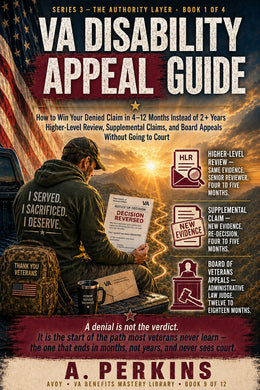
From the AVOY VA Benefits Mastery Library The VA Disability Appeal Guide covers this in full depth, with step-by-step guidance for exactly this situation. Get the Book → |
Who Can Request a VA C-File
Every veteran has the right to request a free copy of their own VA C-file under the Privacy Act and the Freedom of Information Act. There is no waiting period tied to claim status — veterans can request their file whether a claim is pending, already decided, or years in the past. The request costs $0 regardless of file size, and VA cannot charge a veteran for the first copy of their own record.
Veterans do not have to file the request personally. A VA-accredited Veterans Service Officer, claims agent, or attorney can request the C-file on a veteran's behalf, provided a valid VA Form 21-22 (for a VSO) or Form 21-22a (for an individual representative) is already on file. This authorization has to be current — an expired or revoked power of attorney will get the request rejected or delayed. Veterans requesting online through VA.gov must have a verified identity account before the system will process the request; without that verification, the request typically defaults to mail or fax.
Requests From Dependents, Survivors, and Representatives
Surviving spouses and dependents pursuing DIC (Dependency and Indemnity Compensation) can request the C-file of a deceased veteran, though the process typically requires proof of relationship, such as a marriage or birth certificate, along with the veteran's death certificate. Next of kin without an open DIC claim may face additional hurdles, since privacy protections around a deceased veteran's records don't disappear automatically. Fiduciaries and court-appointed guardians acting on behalf of a veteran found incompetent can also request the file, with documentation proving their legal authority attached to the submission.
What's Inside Your C-File: STRs, Exams, and Evidence
A modern C-file typically runs 800 to 5,000 pages, growing with every year a claim or appeal stays active. Early in a first claim, the file may hold only a service separation packet and a few pages of treatment notes. By the time a case has been through a denial, a Supplemental Claim, and a Board appeal, that same file can hold thousands of pages of exam reports, correspondence, and internal reasoning.
Service Treatment Records and Private Evidence
The file contains service treatment records (STRs), any private medical evidence a veteran submitted, buddy and lay statements, VA treatment records pulled electronically, and documentation tied to PACT Act presumptive conditions such as burn pit or Agent Orange exposure history. It also holds every C&P exam report VA ordered, along with the examiner's stated rationale. For veterans filing under PACT Act presumptive categories, the file also documents which exposure evidence, such as deployment orders or unit records, was already verified by VA.
Rater Notes and Decision Reasoning
The most valuable pages for veterans preparing an appeal are often the rater's internal notes — the worksheet showing what evidence was weighed, what evidence was discounted, and why a specific percentage was assigned instead of a higher one. These notes rarely appear in the rating decision letter itself, which summarizes the outcome but not always the full reasoning. Reviewing the full file, rather than relying on memory of what was submitted, is often the fastest way to identify a missing document before it becomes the reason a claim stalls.
Choosing How to Request: Form 20-10206 vs. Self-Service Access
As of February 2026, VA Form 20-10206 is the standard method for requesting a complete C-file, replacing older ad hoc request letters. The form can be completed online after signing in to VA.gov, printed and mailed, or faxed to the address listed on the form itself. Each method reaches the same records custodian, but turnaround and reliability differ.
Online Submission vs. Mail and Fax
Submitting through VA.gov's upload system is generally the fastest and most trackable option, since the request enters the system with a timestamp and reference number attached automatically. Mailed requests depend on physical delivery and manual entry, adding time before processing even begins. Faxed requests are common but carry the highest rejection risk — a faxed signature that isn't fully legible is one of the most frequent reasons a C-file request gets returned unprocessed. Veterans with a verified VA.gov account can also access select portions of their file through the VA Health and Benefits app or self-service tools, useful for checking a single document like a recent C&P exam report, but this partial access does not replace a full C-file request when the goal is a complete record for an appeal. Veterans working with a VSO or attorney should confirm which method their representative prefers before submitting a duplicate request, since a second request filed while the first is processing can slow both down.
Step-by-Step: How to Submit Your C-File Request
Requesting a C-file is a paperwork process, not a legal filing, but small errors on the form are the most common reason requests stall for weeks before anyone even starts pulling records.
Completing Form 20-10206
- Download VA Form 20-10206 from VA.gov, or complete it online after signing in with a verified account.
- Check the box specifically labeled "Claims File (C-File)." Checking only "Service Treatment Records" or "Rating Decision" returns a partial file, not the complete record.
- Enter identifying information exactly as VA has it on file — full legal name, VA file number or Social Security number, and date of birth — since mismatches trigger manual identity verification and add delay.
- Sign the form by hand in ink. A typed name or digital signature block is not accepted on this form, and VA will return the request unprocessed.
- Submit through VA.gov's document upload tool, by mail to the address printed on the form, or by fax, and keep a dated copy of the submitted form and confirmation for your own records.
Common Reasons Requests Get Delayed
The most frequent hold-ups are simple: an illegible faxed signature, the wrong checkbox selected, identifying information that doesn't match VA's records exactly, or a representative's authorization form that has expired. Veterans working with a VSO or attorney should confirm the representative's Form 21-22 or 21-22a is current before the C-file request goes in, since an expired authorization can cause VA to reject the request outright rather than simply delay it. Veterans who submit online through VA.gov generally see the fastest confirmation, since the request is logged with a timestamp and reference number the moment it's submitted — a paper trail that matters if the file takes longer than expected and a status check becomes necessary.
After You Receive Your C-File: Reviewing It and Using It to Appeal
Processing usually takes three to four months, tracking close to VA's published average of 78.6 days for record requests of this type. Larger files, files tied to older paper records not yet fully digitized, or requests submitted with incomplete identifying information can take longer.
What Arrives and How to Read It
Veterans typically receive the complete eFolder as a digital file or on a CD, organized chronologically rather than by document type. That means service records, exam reports, correspondence, and rater notes are often mixed together in the order they were added, not grouped by subject. Reading through the full file — rather than skimming for a rating decision — is the only way to see the rater's actual reasoning, including which pieces of submitted evidence were weighed heavily and which were discounted or overlooked entirely.
Using the File Before Your Appeal Deadline
Veterans have 365 days from the date on a rating decision to file a Notice of Disagreement, so requesting a C-file immediately after a denial — rather than waiting to decide on an appeal first — protects that window. Reviewing the file often surfaces a missing private medical record, an overlooked buddy statement, or a C&P exam that never addressed the actual condition claimed, any of which can shape whether a Supplemental Claim, Higher-Level Review, or Board appeal is the stronger path forward. Veterans who wait until an appeal is already underway to request their C-file often lose weeks they could have used building new evidence instead.
Take the Next Step With AVOY
Knowing what's inside your C-file only matters if it changes what you do next. The Free VA Claim Readiness Test at avoyvet.com walks through where a claim or appeal stands today and what evidence still needs attention, based on the AVOY VA Benefits Mastery Library. Start there before deciding whether to file a Supplemental Claim, request a Higher-Level Review, or head to the Board — and visit avoyvet.com to ask AVOY Veteran Navigator AI for educational guidance built for veterans navigating a denial.
Frequently Asked Questions
How long does it take to get my VA C-file in 2026?
Processing a C-file request typically takes three to four months, tracking close to VA's published average of 78.6 days. Files that are especially large, tied to older paper records not yet fully digitized, or submitted with identifying information that doesn't match VA's system exactly tend to take longer. Veterans working with a VSO or attorney can check status through their representative, and veterans who submitted online through VA.gov can typically see a confirmation timestamp and reference number tied to the request. Because the wait can run several months, veterans who've just received a denial and are weighing whether to appeal should submit the C-file request right away rather than waiting to decide — the 365-day Notice of Disagreement window keeps running regardless of how long the C-file itself takes to arrive.
Is there a cost to request my C-file?
No. Every veteran is entitled to a free copy of their own C-file under the Privacy Act and the Freedom of Information Act, regardless of how large the file is or how many times it has been requested before. There is no fee for the first copy, and veterans do not need to justify why they're requesting it — an active claim, a completed claim from years ago, or simple curiosity about what VA has on record are all valid reasons. VSOs, accredited claims agents, and attorneys working on a veteran's behalf with a current power of attorney on file can also request the C-file at no cost to the veteran.
Can I request only part of my C-file, like my C&P exam report?
Yes. VA Form 20-10206 includes separate checkboxes for specific categories, such as service treatment records, C&P exam reports, or a rating decision, in addition to the full "Claims File (C-File)" option. Requesting a specific document is usually faster than requesting the complete file, since VA is pulling a narrower set of records. That said, a partial request only returns what's checked — it won't include the rater's internal notes or the full evidence trail unless the complete C-file box is selected. Veterans preparing for an appeal, or anyone trying to understand the full reasoning behind a decision, generally need the complete file rather than a single document, since the value is often in seeing how different pieces of evidence were weighed against each other.
What's the difference between my C-file and my medical records at the VA hospital?
VA medical records cover treatment received at VA health facilities — appointment notes, prescriptions, lab results, and provider visits. The C-file is broader: it's the complete benefits record, including military service records, private medical evidence submitted for a claim, C&P exam reports, lay and buddy statements, correspondence with VA, and every rating decision issued. VA medical records may be included as attachments within the C-file if they were submitted as claim evidence, but the C-file itself is not the same file a hospital or clinic pulls up during an appointment. Veterans who only need treatment history for a new provider should request medical records separately rather than the full C-file.
Can my spouse or a family member request my C-file?
While a veteran is alive, a spouse or family member generally cannot request the veteran's C-file without the veteran's written authorization, since the file is protected under the Privacy Act as the veteran's personal record. A spouse listed as a fiduciary or with valid power of attorney is an exception. After a veteran's death, a surviving spouse or dependent pursuing DIC can request the deceased veteran's C-file, typically by submitting proof of the relationship along with a death certificate. Next of kin outside that context may face additional requirements, since privacy protections around a veteran's record don't disappear automatically at death.
Do I need my C-file before filing an appeal?
It isn't required to file a Notice of Disagreement, Supplemental Claim, or Higher-Level Review, but reviewing the C-file first is one of the most useful steps available before deciding which appeal path to take. The file shows exactly what evidence VA had, what was weighed, and what reasoning led to the decision — information the rating decision letter alone often doesn't fully explain. Veterans who file an appeal without reviewing the C-file sometimes resubmit evidence VA already had, or miss that a specific piece of evidence, like a private nexus opinion, was never actually considered. Because appeal deadlines keep running while a C-file request is processed, the practical approach is requesting the C-file immediately and continuing to prepare the appeal in parallel.
What if I find an error or missing document in my C-file?
Finding a missing document — like a private medical record that was mailed in but never scanned into the file — is common, and it's exactly the kind of issue a C-file review is meant to catch. If something is missing, veterans can resubmit that specific piece of evidence, and where relevant, note that it was previously submitted but appears absent from the record. This is often useful evidence for a Supplemental Claim, since new and relevant evidence is the standard that claim type is built around. Errors in the file itself, such as incorrect personal information, should be brought to VA's attention directly. A VSO, claims agent, or attorney can help determine whether a missing document changes the strategy for an ongoing appeal.
Educational information only — not legal, medical, or claim representation, and not affiliated with the U.S. Department of Veterans Affairs. For help filing or appealing, contact a VA-accredited VSO (often free), claims agent, or attorney. For current rates, forms, and deadlines, see VA.gov.